
Poker — with your friends online, on voice chat
Deal a hand in your voice room and hear every bluff. Play Hold'em, Omaha, Seven-card stud or Five-card draw with play chips, just for fun. Free, for 2 to 10 players.
- No sign-up
- Encrypted voice
- 39 languages
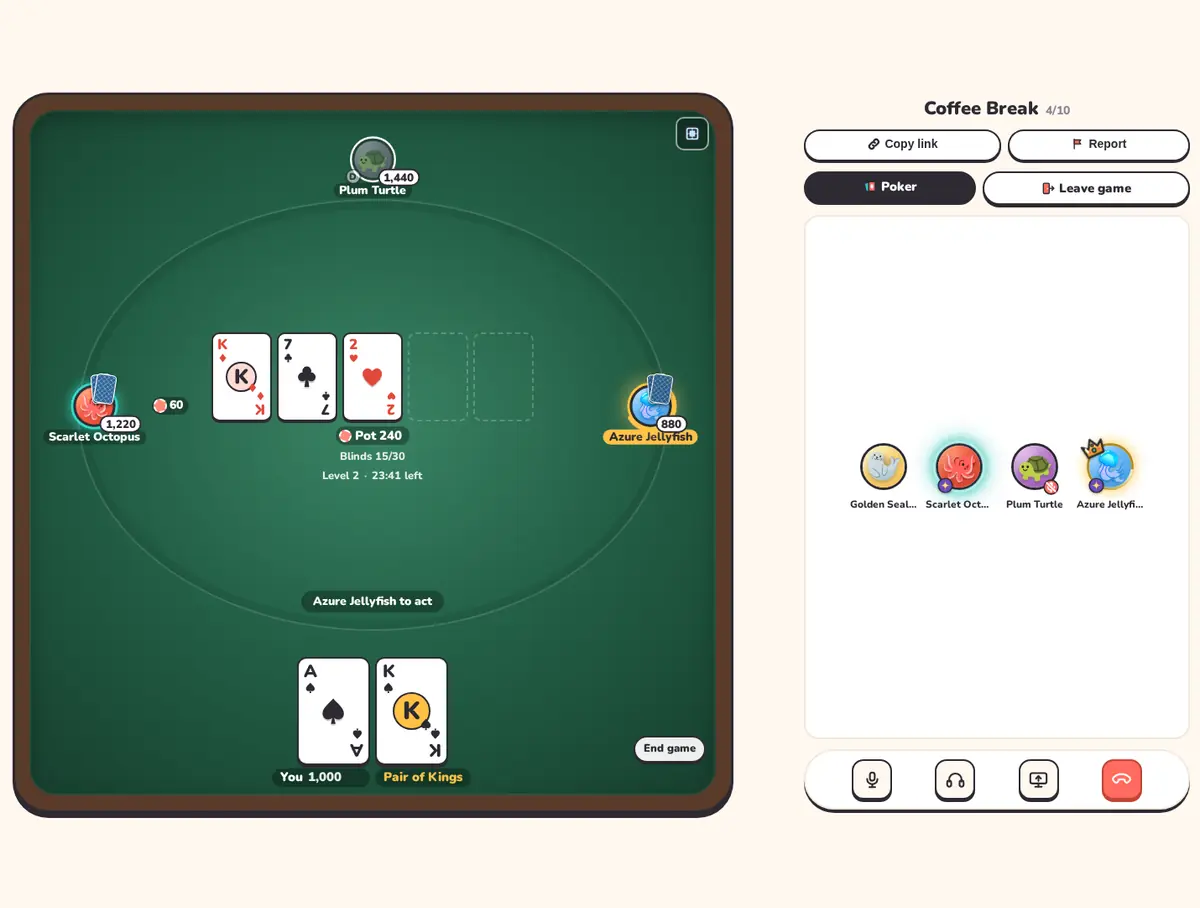
Poker
How to play
Start a room
Start a free room and send the link to your friends. They join from their browser, without signing up.
Open Poker
Tap Activities and open Poker. Friends tap Take a seat. The host picks the game, how it ends and the pace, or keeps the ready-made 30-minute game of Hold'em.
Deal and play
The host taps Deal cards and everyone starts with the same play chips. On your turn, fold, check, call or raise. Only you can see your own cards.
Talk across the table
Bluff out loud, tease a big raise and laugh together at the showdown, where every hand still in is shown. The game names your best hand as you play.
FreeVoice
Why play here
Voice chat built in
You talk while you play, in the same room. No second app for the call.
Up to 10 players
Room for the whole group: up to 10 at a Hold'em or Omaha table, 8 in Stud and 7 in Draw.
No account, no download
Open the link and you're in. No email, no password, nothing to install.
Free
The games cost nothing. Play as many rounds as you like.
Phone or computer
It runs in the browser on phones, tablets and computers, so everyone can join.
Questions
Good to know
How many people can play Poker together?
2 to 10 players. Hold'em and Omaha seat up to 10, Seven-card stud up to 8 and Five-card draw up to 7. Everyone else in the room can watch the table.
Is Poker on FreeVoice free?
Yes. Everyone plays with play chips that exist only inside one game. There is nothing to buy and nothing to keep: it is just for fun with your friends.
Which kinds of poker can we play?
Four: Texas Hold'em (no limit), Omaha (pot limit), and Seven-card stud and Five-card draw (fixed limit). The host picks one before the first deal.
Do we need an account or an app?
No. Everyone opens the FreeVoice room link in their browser and gets a name and an avatar. There is nothing to sign up for or install.
How do I start a game?
Start a FreeVoice room and invite your friends with the link. Open Activities and choose Poker. Friends tap Take a seat, and the host taps Deal cards.
How does a game end?
The host chooses. Time limit: play for a set time, such as 30 minutes, and the most chips wins. Chip goal: the first to reach 2, 3 or 5 times the starting chips wins. Endless: a table friends sit down at and leave whenever they like. A game never stops in the middle of a hand.
Not everyone knows the rules. Can we still play?
Yes. The buttons show only the moves you can make, the game names your best hand as you play, and Chill pace gives everyone 45 seconds a turn to talk it through.
More in every room
Sketch Seal
Draw and guess · 2–10 players · ~10 min
Seal Deal
Card game · 2–10 players · ~5 min
Cheat
Bluffing card game · 2–10 players · ~10 min
Tencord
Everyone in one live game · 1–10 players
Everything FreeVoice can do
Everything a group call needs, nothing it doesn't