
Tencord — the multiplayer arena game, with proximity voice chat
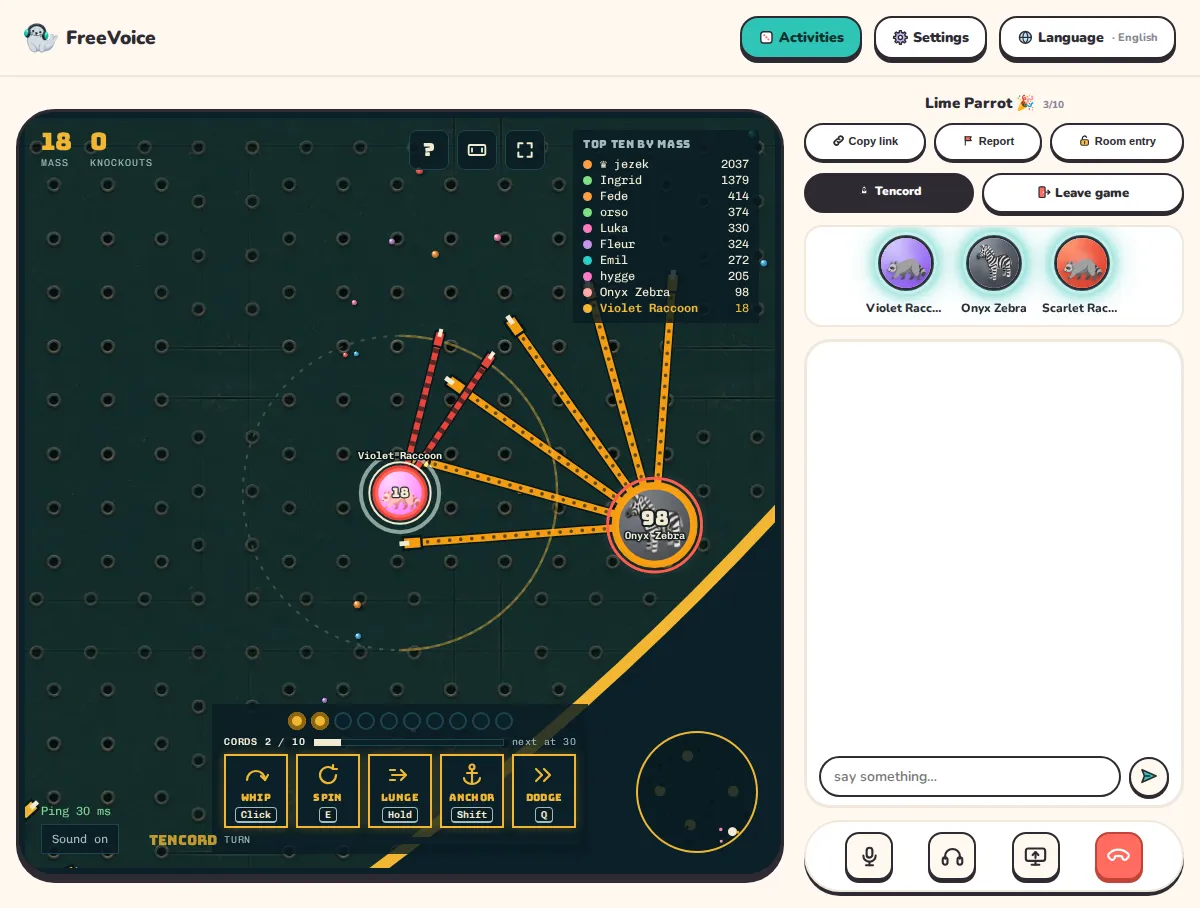
Jump into one live arena with your friends: eat crumbs to grow, whip a core to knock anyone out, block with your cords, dodge and anchor. With proximity voice on, you hear only the friends near you in the game. Free, for 1 to 10 players from your room.
Tencord is a free browser game. You can also play it on its own at tencord.com.
- No sign-up
- Encrypted voice
- 39 languages
Tencord
How to play
Start a room
Start a free room and send the link to your friends. They join from their browser, without signing up.
Open Tencord
Tap Activities and open Tencord. Friends tap Join. The host picks Endless or Timer and turns proximity voice on or off.
Play together
Press Start and you all enter the same live arena. Your core shows your FreeVoice avatar and name and lights up while you talk. Eat crumbs to grow and whip: one hit on a core knocks out anyone, at any size.
Talk by distance
With proximity voice on, you hear only the friends near you in the game, louder as they come closer and from their side with headphones. Turn it off to hear everyone.
FreeVoice
Why play here
Voice chat built in
You talk while you play, in the same room. No second app for the call.
Up to 10 players
Bring the whole group: 1 to 10 people in one game, or play on your own.
No account, no download
Open the link and you're in. No email, no password, nothing to install.
Free
The games cost nothing. Play as many rounds as you like.
Phone or computer
It runs in the browser on phones, tablets and computers, so everyone can join.
Questions
Good to know
How many people can play Tencord together?
Up to 10 people from one FreeVoice room join the same Tencord game, and you can also play alone. Friends who arrive late join the running game straight away. You play in Tencord's public arena, so there is always someone to play against.
Is Tencord free?
Yes. Tencord is free to play in any FreeVoice room, and on tencord.com.
What is proximity voice?
When the host turns it on, you hear only the players who are close to you in the game. Their voice gets louder as they come closer and, with headphones, comes from their side of the screen. With it off, everyone in the room hears everyone as usual.
Do we need an account or an app?
No. Everyone opens the FreeVoice room link in their browser and gets a name and an avatar. There is nothing to sign up for or install.
What are Endless and Timer?
Endless: play until you are knocked out, then you are back in by yourself a few seconds later. Timer: 10-minute rounds, and the biggest player at the end wins. There is no size limit, and knockouts in a row within 4 seconds start a rampage.
Does Tencord work on phones?
Yes. Tencord has touch controls, and on a phone you can play in full screen, turned sideways, while you keep talking.
How do I learn to play?
Your core follows your pointer; on a phone you steer with a joystick under your thumb. You whip, spin, lunge, dodge and anchor with the mouse and keys, or with the buttons on a phone screen. Tencord's tutorial at tencord.com teaches it in 19 short steps, about 4 minutes.
Who makes Tencord?
Tencord is a free multiplayer arena game. FreeVoice brings it into your room with voice chat; you can also play it on its own at tencord.com.
More in every room
Sketch Seal
Draw and guess · 2–10 players · ~10 min
Seal Deal
Card game · 2–10 players · ~5 min
Cheat
Bluffing card game · 2–10 players · ~10 min
Everything FreeVoice can do
Everything a group call needs, nothing it doesn't